

Cognitive Load Theory – Part II
Mayer’s multimedia principles for instructional design


Right... welcome back. If you’ve made it this far, you probably either… actually enjoyed part I or perhaps are stubbornly committed to finishing what you start (in which case, respect)… Either way, I’m glad you’re here.
Now, this is the second part in a short but packed series (there actually might come a part III in the autumn) … on Cognitive Load Theory. In Part I, we talked about the theory itself (how memory works, what overload looks like, and why multitasking might actually be the villain in your learning strategy).
This time, however, we’re getting practical.
We’re diving into the work of Richard Mayer (not the brother of the hot dog guy) … a name you’ll hear a lot if you hang out in learning design circles long enough. Mayer, along with Ruth Clark and others, helped translate cognitive load theory into actual design principles. The kind that help people learn better, not just click more…
Now, a quick disclaimer is warranted…You’ll see some visuals throughout this piece. I made them back in 2020 with best intentions… They are... fine-ish… I did not have time to remake them for this article because I did not have the mental bandwidth nor the quick design skills enough to make them in time… Let’s jsut call them vintage for now but if anyone wants to help out and remake them… please let me know.
Let’s get into the good stuff and have a quick glance at Mayer’s Multimedia Principles.
The Redundancy principle
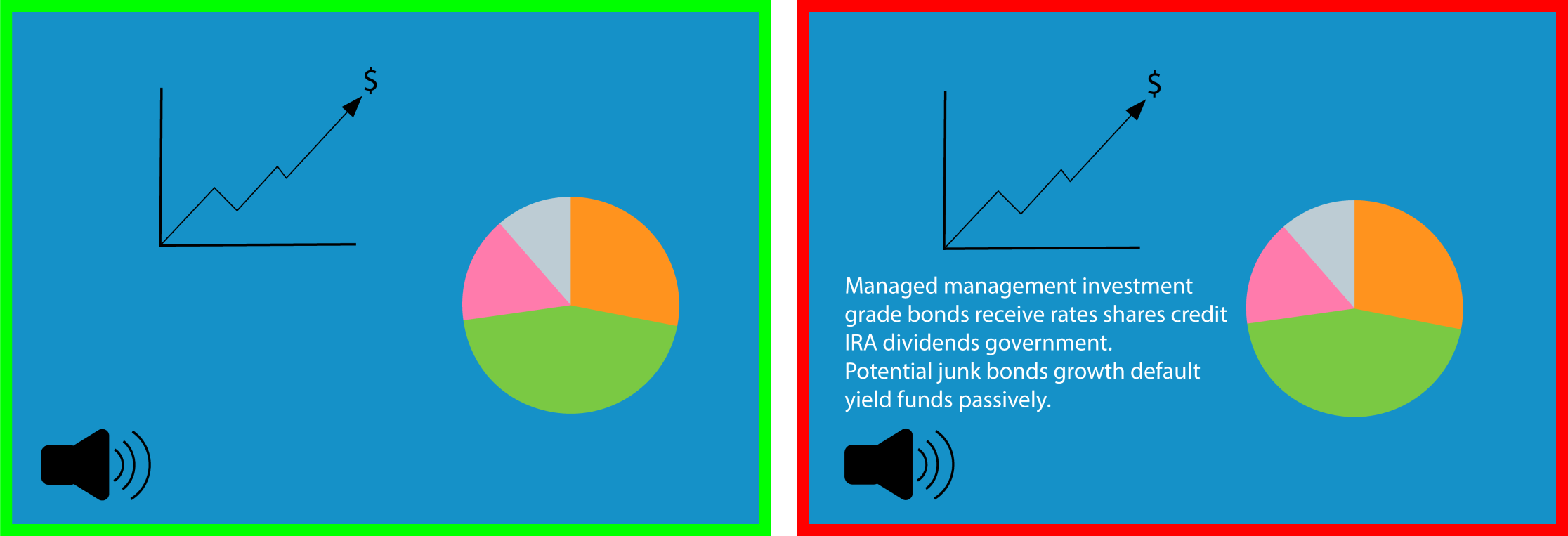
We learn better with just enough input… not everything all at once.
This principle tells us that narration and graphics, together work well. But narration plus graphics plus on-screen text? (That’s overkill). It creates extraneous load … making your learner’s brain do more decoding than actual learning. Think of it this way… if you’ve already explained it out loud, and you’ve shown a diagram… why make them read it too?
Pro Tip: Captions are fine… but they should be optional (especially for accessibility), not a default.
The Contiguity principle
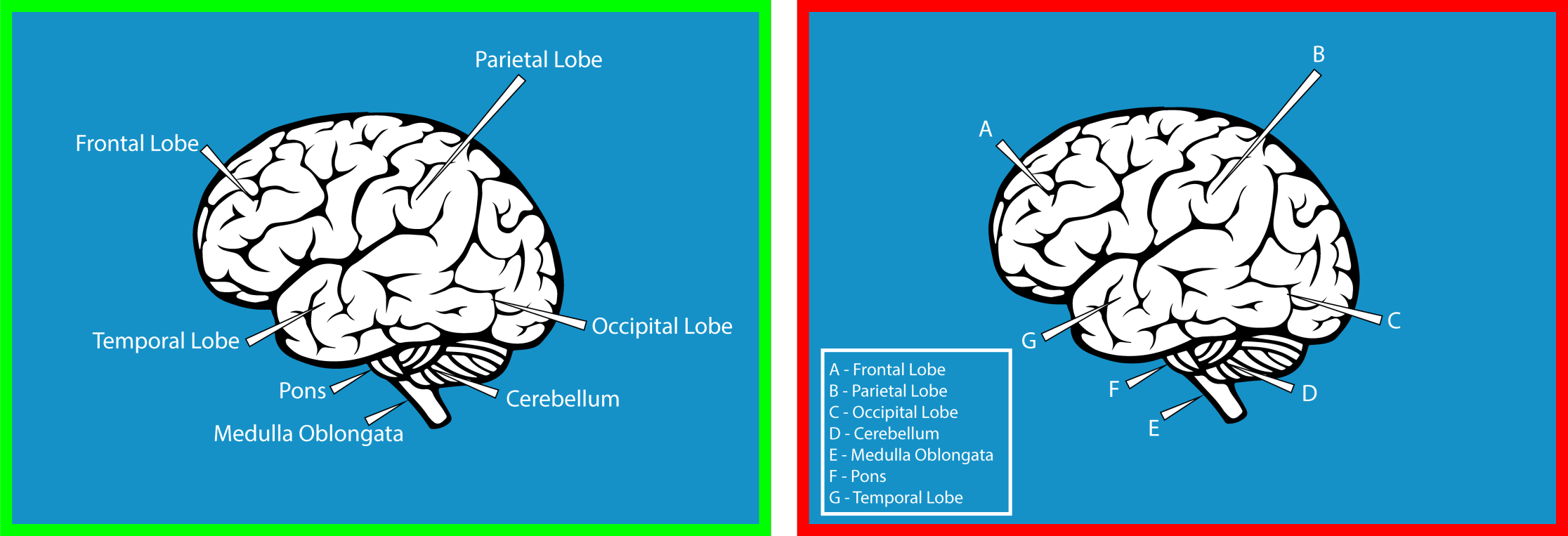
This one has two parts: spatial and temporal contiguity.
Let’s start with spatial. It simply means that text should appear next to the part of the image it refers to (not across the screen or on another page). Text on a screen is processed visually, just like graphics. If the two are disconnected, your learner’s brain gets pulled in multiple directions. That’s where the overload creeps in (and yes, this is exactly why scrolling up and down recipe blogs is so maddening. The ingredients are listed up top. The instructions are somewhere below. And you keep scrolling to find out how much paprika you needed again. It’s inefficient. It’s annoying. And now you’ll notice it every time from now on... You’re welcome to my world on annoyance.)
Temporal contiguity, on the other hand, is about timing. Audio and visuals should be synchronised, not split apart. If you play an animation and then add narration five seconds later, the learner has to hold on to one thing while they wait for the other. The brain isn’t great at that.
Common ways we still get this wrong
Here are a few very real (and very common) violations of the contiguity principle. You’ve probably experienced most of them already (and possibly designed a few… no judgment)
Text and graphics separated across the screen: as in you have to scroll up and down to connect what you’re reading with what you’re seeing. A classic recipe site move. Completely avoidable. Very infuriating.
Quiz feedback on a separate page: You finish the quiz… click next… and then see a list of answers with no connection to what you just did. How are you meant to learn from that?
Pop-up windows: When the main page sends you to a pop-up (or worse, a new tab) for definitions or references, you're disrupting the flow and fragmenting the learner’s attention.
Instructions separated from the task: You read a list of steps... then click into the activity... and forget step two immediately. Now you’re flipping back and forth and trying to remember what “Click here, then here” was referring to.
Captions far from their graphics: If you have a full-screen image and the caption is somewhere else entirely, you’re asking the learner to scan, flip, guess… and get frustrated.
Text and animation shown at the same time: Split attention at its finest. You’re trying to read while watching something move. Which means you’ll miss part of both.
Legends on graphs: If the legend is off to the side (or on another page), you’re asking learners to mentally match labels to visuals … and hold them in memory while toggling back and forth. Not ideal.
Timing mismatches between visuals and narration: This is the classic one-two delay. First the graphic, then the narration. Or the other way around. Either way, the learner has to remember one while waiting for the other. Which, again, adds load.
Pro Tip: Keep things together. Visually. Spatially. Temporally. Don’t make learners do detective work to match your content to itself.
The Segmentation principle
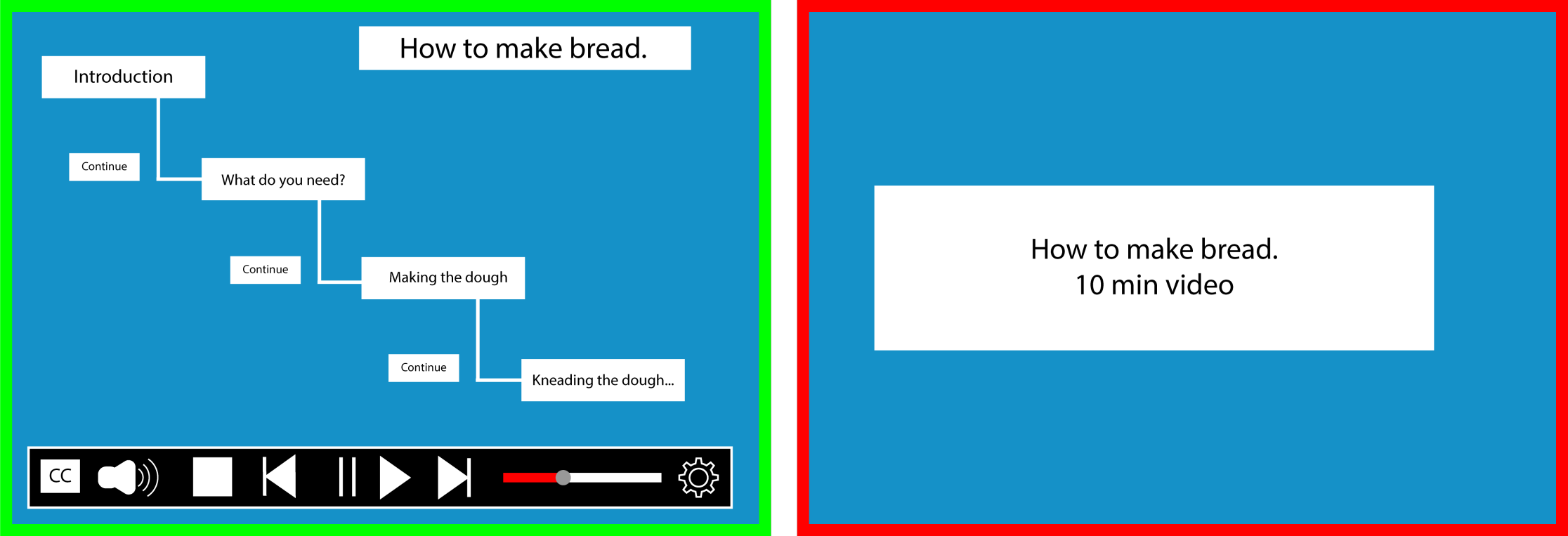
This one’s so simple it feels like cheating… break things into chunks.
Learners absorb more when they’re given information in bite-sized segments rather than one long continuous stream. Especially if they can control the pace.
But we often forget this in design. We think, “This is important! They need to see the whole thing!” And suddenly we’ve given them a 12 minute autoplay video with no pause button.
Pro Tip:
Add “Next” or “Continue” buttons
Offer speed control for videos
Build content in short blocks with natural breaks
Microlearning isn’t always the answer … but macro-overload definitely isn’t.
The Modality & Multimedia principles
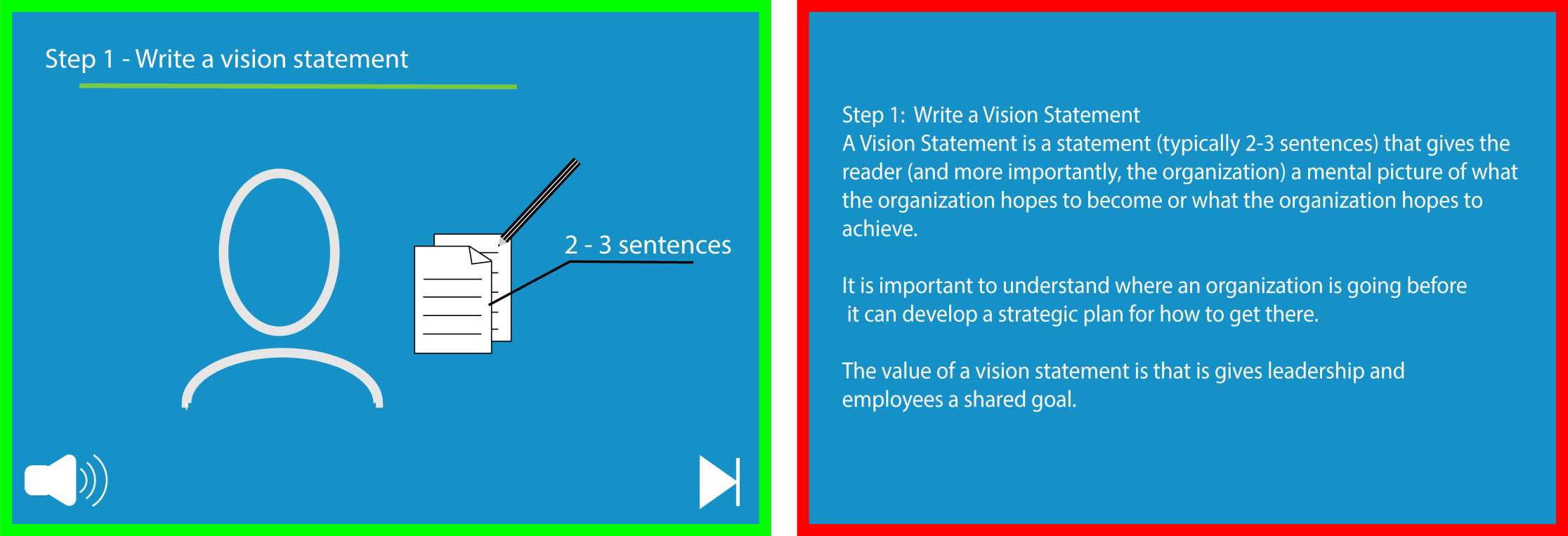
These two are best friends… like two peas in a pod…, so let’s treat them like one… they work better together anyway.
The multimedia principle says people learn better from words and pictures than from words alone.
The modality principle says people learn better when those words are spoken (as narration), not written on screen.
So together:
spoken words + relevant visuals = good
Written words + more written words = not so good
Simple enough, but it’s easy to get this wrong.
Let’s start with the multimedia part.
Yes, graphics help learning, but only if they actually explain something. If you’re just throwing in a decorative image because “the slide looked a bit empty” you’re not helping. In fact, you might be distracting.
Plan graphics alongside the content
Avoid adding stock photos for “visual appeal” (they rarely do what you want them to…Also… floating clipart lightbulbs? No.)
Now let’s talk about modality (quick refresher from last Monday…)
Learners process information through two channels … visual and auditory. When you put everything (text, images, diagrams) into the visual channel, it gets overloaded fast. That’s why narration helps. It uses the auditory channel and leaves the visual space for the visuals … which makes for more efficient processing and lower cognitive load.
It’s not about being fancy. It’s about working with the brain, not against it.
Pro Tip: When to prioritise modality
Use narration instead of on-screen text especially when the content is complex and the pace is fast (Tindall-Ford, Chandler, & Sweller, 1997; Tabbers et al., 2004)
And as a general rule… Let them hear what they need to understand and use on-screen text for:
Key terms
Clear instructions
Definitions or checklists
Everything else? Say it out loud (preferably not with a robotic voice,we will get to that later).
The Signaling principle
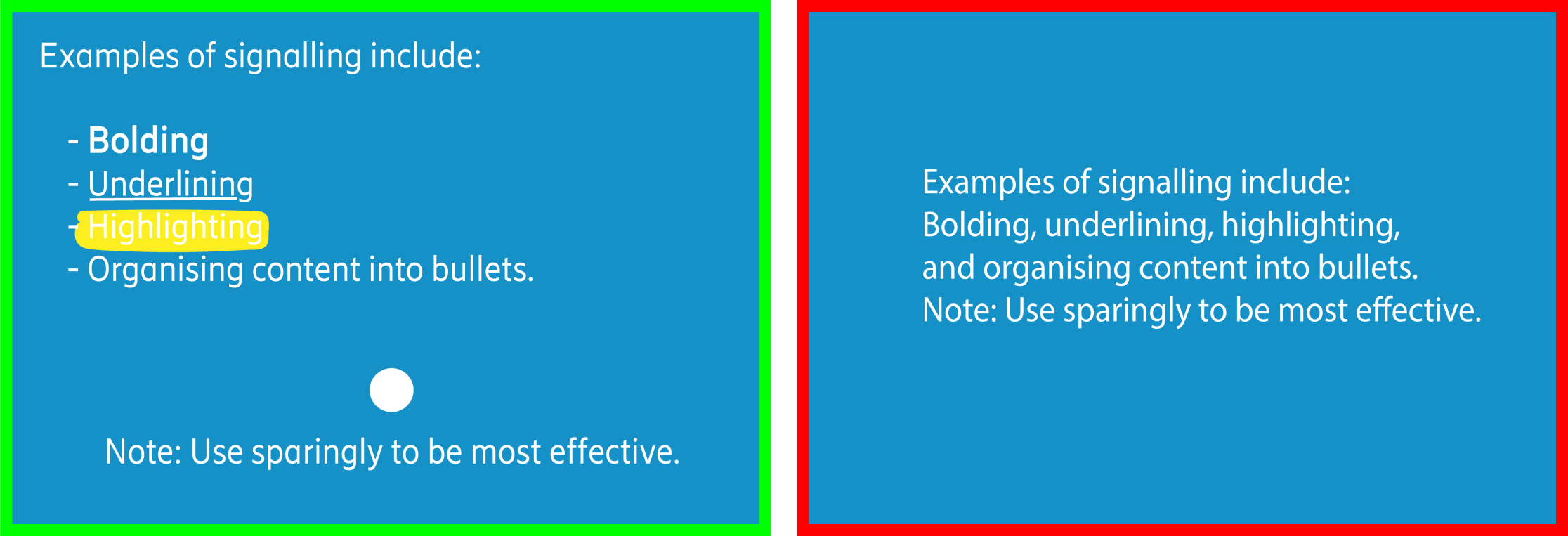
One of the easiest (and most effective) ways to reduce cognitive load is just... pointing to the right thing. Signaling (also called cueing) helps learners know what to focus on. It might be a bold word, an arrow, a colour highlight, or a simple heading. The goal is the same… show them what matters so they don’t waste energy trying to figure it out.
Use signaling to:
guide attention
highlight relationships
reduce clutter and confusion
Now… please note that in the image above, is showing multiple types of effective signaling. But just to be clear... you’re not meant to use all of them at once. I made this to illustrate the range of signaling options … not to suggest that you throw in arrows, highlights, underlines, and bold text on every screen. That would be what we call “design overwhelm”... also known as “I panicked and formatted everything”
Use what you need. Then stop.
Less is more. Always.
The Coherence principle
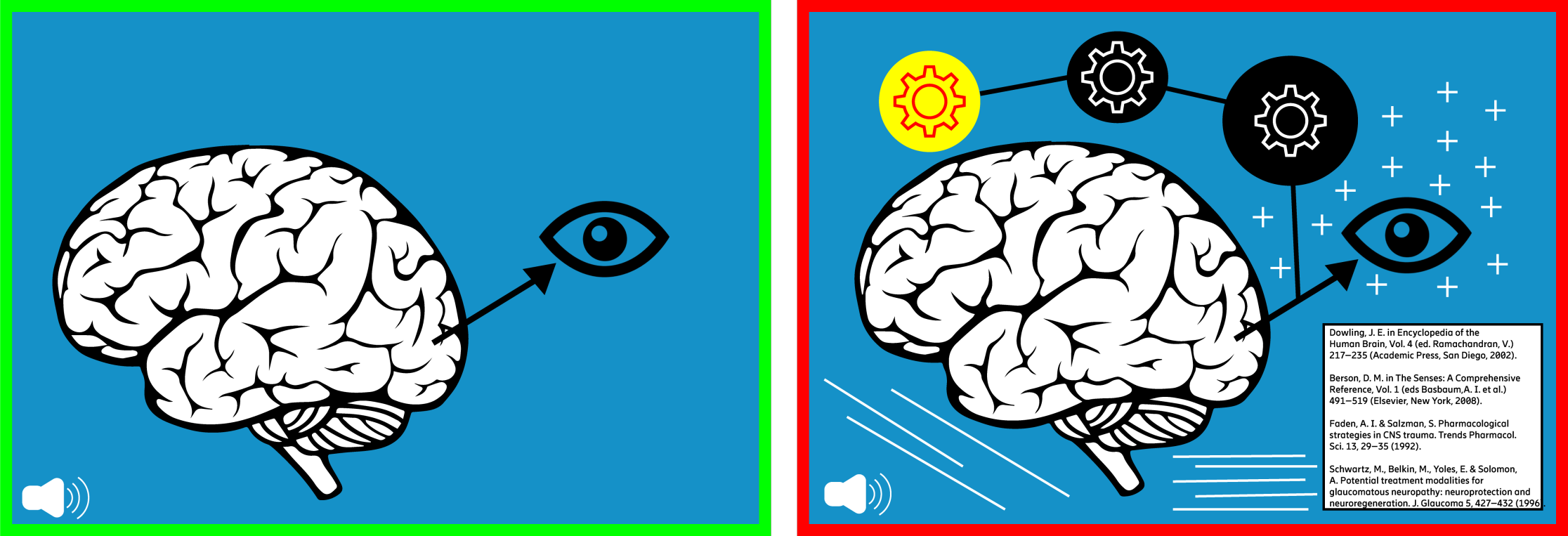
This principle is wonderfully blunt… cut the fluff!
We learn best when unnecessary distractions are removed, whether that's irrelevant visuals, background music, extra animations (that goes for unnecessary slideshow effects too), sound effects, or off-topic fun facts (not everything needs to sparkle, slide, or spin in… in fact… I would say nothing has to do these things…).
If it doesn’t support the learning objective, it probably shouldn’t be there. That includes:
Stock images added “just to break up the text”
Background music you thought made it feel “more modern”
Any sentence that starts with “Did you know…?”
The rule of thumb here is simple: illustration, not decoration.
Be kind to your learners’ brains. They’re busy.
Supplementary principles…
These next ones aren’t always top of the list, but they’re worth knowing (and even easier to implement than most).
The Pre-training principle
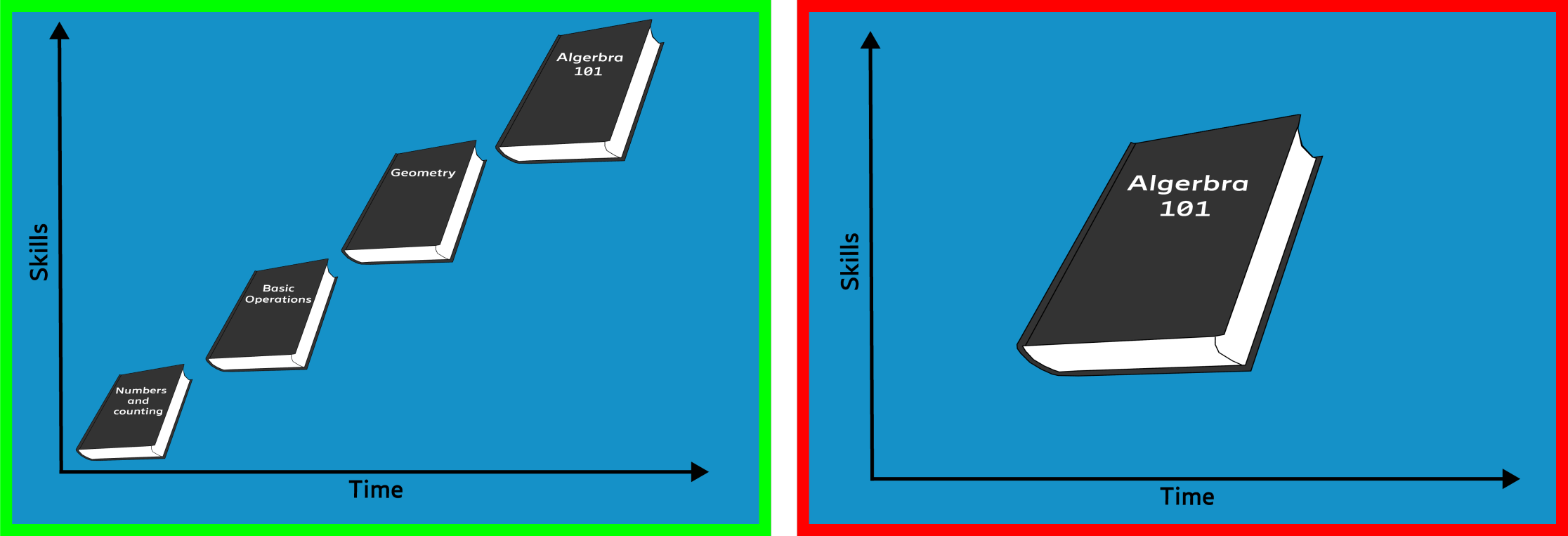
This might not surprise anyone... but learners do better when they already know the basics before diving into complex content. Understanding key terms, definitions, and core concepts up front means they won’t be wasting mental energy mid-lesson just trying to figure out the vocabulary. Instead, they can focus on the actual learning.
This is where things like:
short intro videos
glossaries
“Read this first” PDFs
optional intro modules
...can make a huge difference … without much effort.
If you’re building a course from scratch, you can scaffold the experience in your LMS from basic to advanced. That way, learners don’t end up reading lesson four and wondering what the word “scaffold” even means. And no, this doesn’t mean you have to create mountains of new material for every topic. A simple list of optional readings, video links, or even a few curated YouTube clips can give more curious learners the chance to go deeper... without overwhelming the rest.
The Personalisation principle
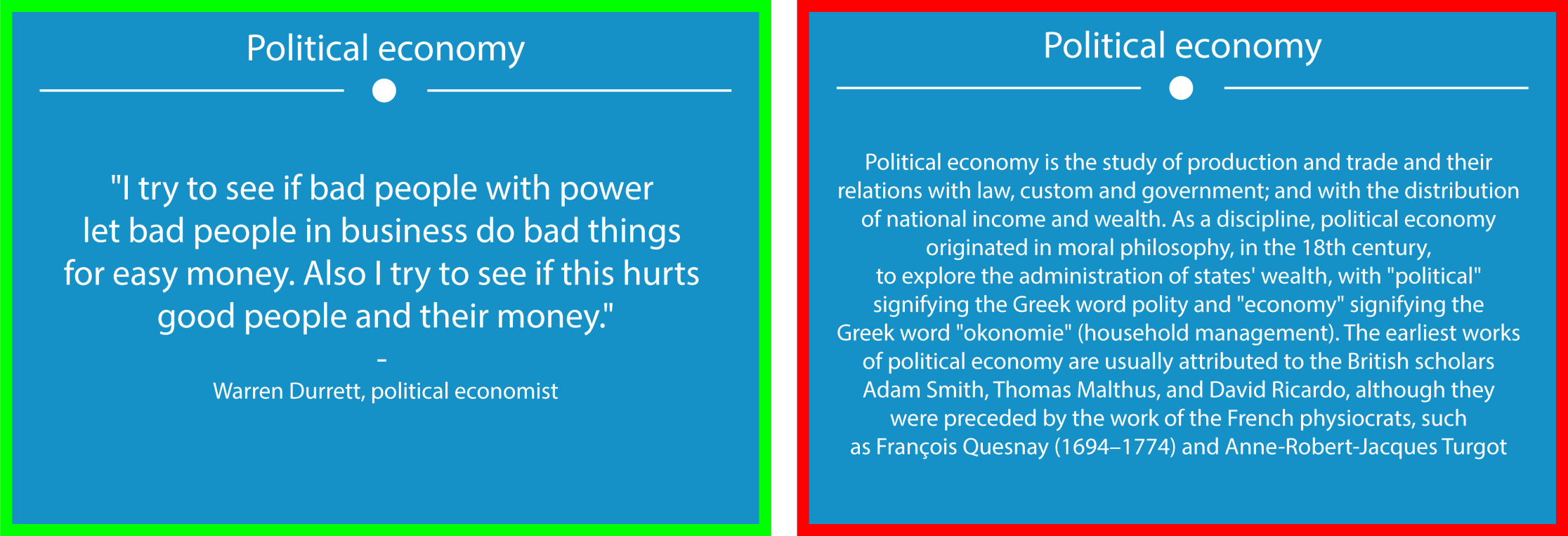
Here’s a simple question… Which one feels more human?
“Please be advised that the instructional materials provided herein are to be utilised at your discretion…”
...or
“Let’s get started … here’s what you need to know.”
Exactly!
Learners engage more when the tone is informal, friendly, and conversational, whether that’s in audio or on screen text. This isn’t about being casual for the sake of it. It’s about reducing the distance between the learner and the material. A formal tone can create friction. It can make things feel colder, more difficult, or unnecessarily complex. You’re not trying to impress the learner with your vocabulary, you’re trying to help them focus.
So keep your language simple, clear, and human. That doesn’t mean dumbing things down. It means writing like you speak... if you’d had coffee and were explaining it to someone who actually wants to understand (and yes, I’m aware this rule has exceptions. Compliance training, for example, still likes to sound like it was written by a lawyer in a very tall building. But even there, clarity helps)…
The Voice principle
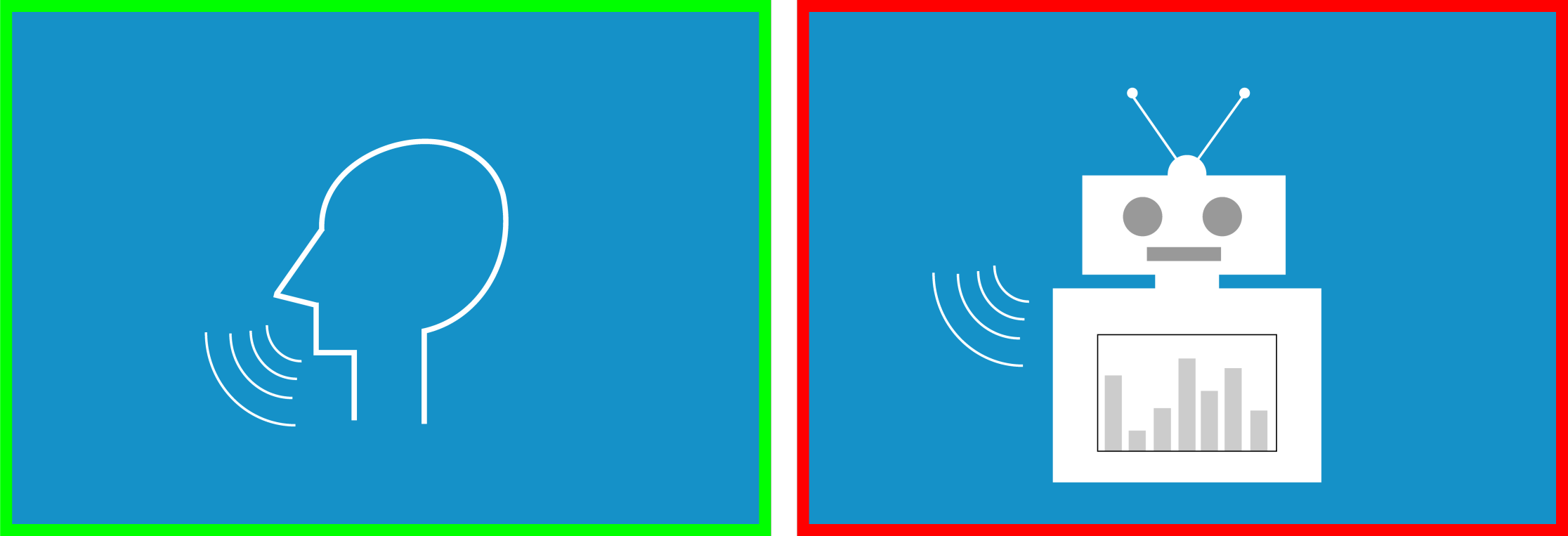
We learn better from a human voice than a robotic one. That’s been true for a while … and even in 2025, with AI-generated voices sounding more and more natural, the research still holds up. There’s something about human rhythm, tone, and imperfection that helps people stay engaged.
Synthetic voices might be faster to generate and cheaper to scale… but they’re still prone to the occasional uncanny dip in tone, awkward pacing, or robotic emphasis that quietly chips away at the learning experience.
If you’re designing learning today:
Use a real voice whenever possible… recorded professionally and matched to the content
If you do use AI narration, choose it carefully… and test it with real people
Prioritise clarity and consistency over novelty
And on the topic of accents … stick with whatever your organisation has defined as its standard. If your company operates in American English, use that. No need to sprinkle in extra regional variations “for engagement” … it’s more confusing than helpful. Better yet, support global teams with high quality captions and optional transcripts. They do far more for accessibility than a perfectly neutral robot ever could.
What about female vs male voices? Mix it up. Ask the company that provides the voiceover for you to have a variety of voices for you and pick the one the works best for the content you have.
The Image principle
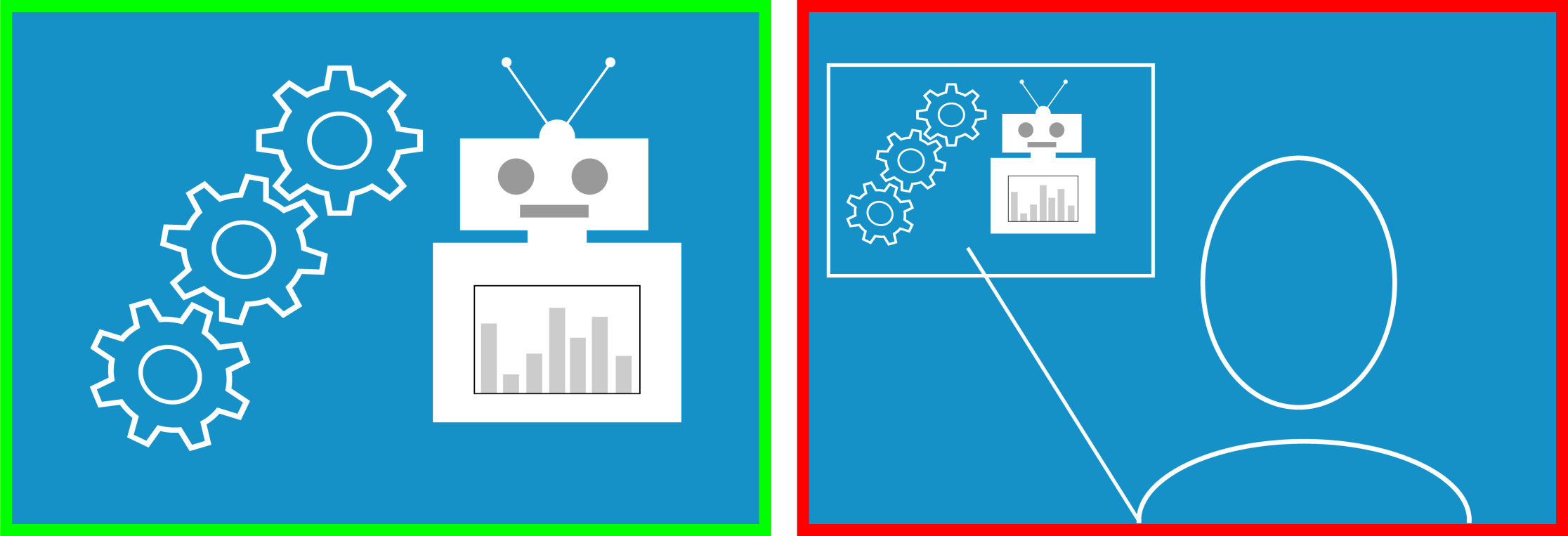
Talking head videos are everywhere…and it makes sense. When we remove the face-to-face element of learning, we naturally try to add the face back in.
But we don’t necessarily learn better by watching someone talk. In fact, when the goal is to understand complex information, relevant visuals (diagrams, process flows, animations) are often far more effective than watching a static head explain it.
And that’s not a dig at SMEs. It’s just how working memory works. The brain processes visual explanation better when it's... visual. Seeing what’s being described reduces cognitive load. Staring at someone describing something without showing it? That adds effort.
That said … this doesn’t mean we remove the human entirely. In fact, seeing the person behind the content helps build trust and engagement. It adds warmth. A short intro or welcome message from the SME can go a long way to make the experience feel more grounded.
So here’s the balanced approach:
Use a talking head for introductions or wrap-ups
Switch to supporting visuals when you get into the detail
Come back to the SME for check-ins or summaries
And yes, it’s 2025. AI-generated presenters and avatar based delivery are more common than ever. But the same principle still applies… just because you can keep a face onscreen the whole time, doesn’t mean you should. Use people purposefully. Use visuals intentionally.
It’s not about removing the human... it’s about helping the learner focus on what actually matters in the moment.
The why and how…
If Cognitive Load Theory gives us the why, Mayer’s principles give us the how. They’re not about being flashy. Or adding more. They’re about removing friction so people can learn what they came to learn (and walk away feeling like it actually stuck).
And if you made it through both parts of this article series? Well done. That’s some solid germane load you just processed.
Now go remove three unnecessary images from your next slide deck.
You’re welcome.
Borgþór Ásgeirsson 18/08/2025 - (Originally published on LinkedIn in June 2020)
Learning Design Manager at Cambridge Judge Business School
References
Clark & Mayer (2016). E-Learning and the Science of Instruction: Proven Guidelines for Consumers and Designers of Multimedia Learning, 4th ed. San Francisco, CA: John Wiley & Sons.
Foshay, W. R., & Silber, K. H. (2009). Handbook of Improving Performance in the Workplace, Instructional Design and Training Delivery (1st ed.). San Francisco, CA: John Wiley & Sons.
Mayer, Heiser & Lonn (2001). Cognitive Constraints on Multimedia Learning: When Presenting More Material Results in Less Understanding. Journal of Educational Psychology, 93(1), 187–198.
Tabbers, H. K., Martens, R. L., & van Merriënboer, J. J. G. (2004). Multimedia Instructions and Cognitive Load Theory: Effects of Modality and Cueing. British Journal of Educational Psychology, 74, 71–81.
Tindall-Ford, S., Chandler, P., & Sweller, J. (1997). When Two Sensory Modes Are Better Than One. Journal of Experimental Psychology: Applied, 3, 257–287